Cortex
Autonomous agent system for long-running projects. You give it a mission with a success criterion, and it plans the work, hands focused pieces to subagents, keeps a structured log of progress in your repo, and checks the result against what you agreed — across days or weeks of unattended work.
Why Cortex?
Cortex is designed around three failure modes of long agent runs:
- Context rot — durable project state lives as plain files in your repo, not chat history that accumulates and decays.
- Execution drift — non-trivial work starts from a plan you approve, long tasks keep a live board of their state, plan, and decisions, and every completion claim points at its evidence.
- Context window limits — bounded pieces of work go to subagents that start with a fresh context and return only their result.
Features
- Subagents and team mode — bounded work goes to subagents with a clean context; with team mode on, a session can lead persistent worker sessions (Team Mode).
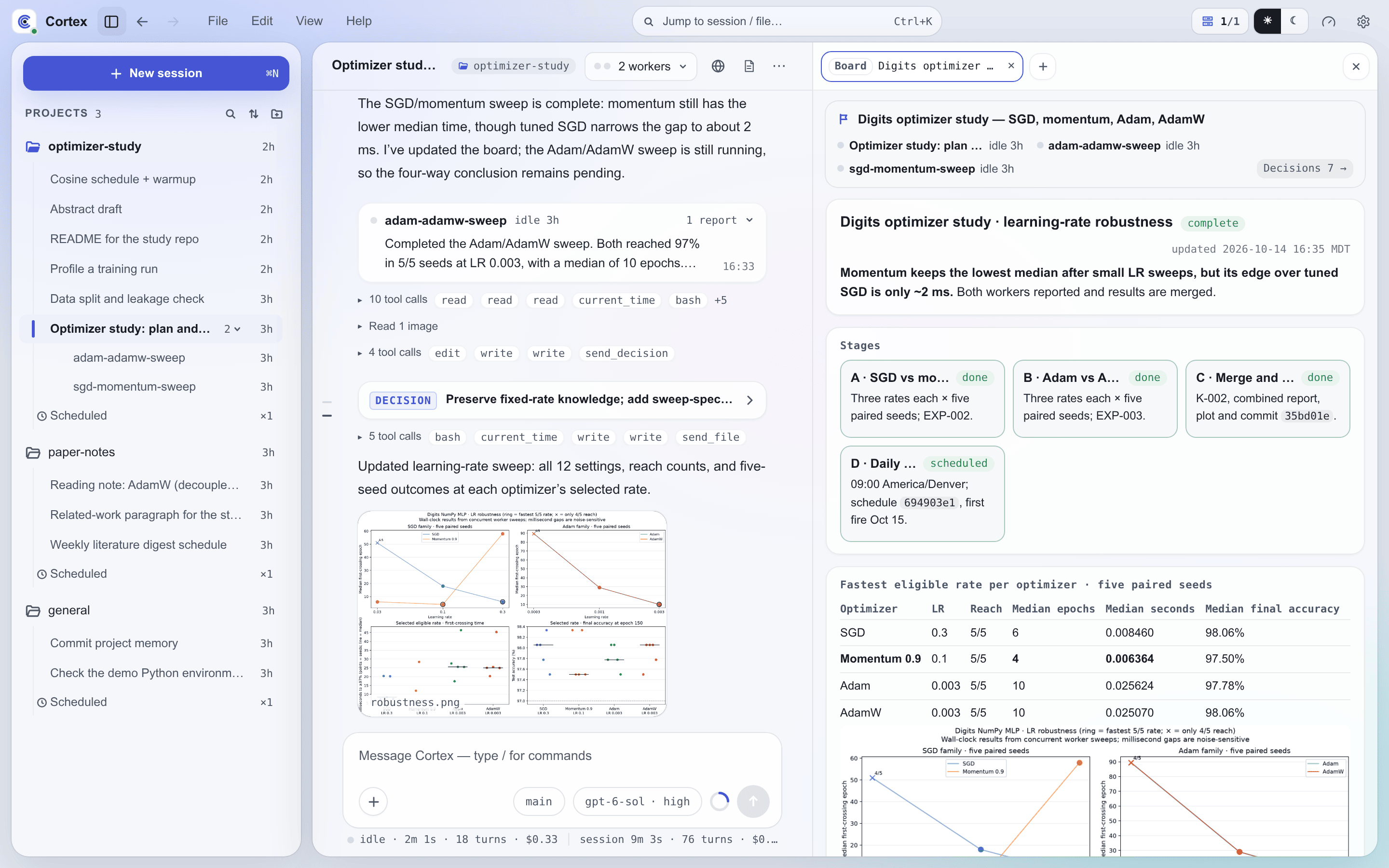
- Boards for long work — a long task keeps a live status page beside the conversation, showing its state, plan, what needs you, and the decisions taken (Boards).
- Structured project log — every project keeps mission, roadmap, status, experiments, knowledge, patterns, and decisions as plain files.
- Cron and interval scheduling — schedule Cortex to scan, digest, or sweep on a recurring basis.
- Editable skills and plugins — skills are plain
SKILL.mdfiles that Cortex and you can write, override, or revert, on disk or from Settings → Plugins (Skills & Plugins). - One agent across your machines — connect any Mac, Windows, or Linux machine via
cortex-client. - Web, native app, chat, and terminal access — use the browser workbench, Linux/macOS/Windows desktop app, Android app, Slack, Feishu, or TUI against the same server. The workbench shows sessions, workers, boards, approvals, machines, and project memory side by side.
Ways to use Cortex
| Interface | Best for | Guide |
|---|---|---|
| Browser workbench | Access from an existing browser without installing a client | Browser Access |
| Desktop app | Native Linux, macOS, or Windows workbench | Desktop and Android Apps |
| Android app | Mobile sessions, projects, and approvals | Desktop and Android Apps |
| Slack or Feishu | Chat-driven operation and notifications | Quickstart |
| TUI | Full-screen terminal operation | CLI Reference |
Quickstart
The desktop app installs and starts a Cortex server on macOS, Linux, or Windows without a terminal. From a terminal:
See Quickstart for detailed server and chat-platform setup. Once the server is running, open the workbench at http://127.0.0.1:3004 on the server, use Browser Access to reach it from elsewhere, or connect a native client as described in Desktop and Android Apps.